Agent Skills are reusable packages of instructions that give your AI agents specialized capabilities. Based on the open Agent Skills format, skills let you capture domain expertise, workflows, and best practices that agents can load on demand.
How Skills Work
Skills use progressive disclosure to keep agent context lean:
- Discovery — Only skill names and descriptions are included in the agent's system prompt (~50-100 tokens each)
- Activation — When the agent decides a skill is relevant, it calls the
load_skilltool to load the full instructions into context - Execution — The agent follows the loaded instructions to complete the task
This means you can attach many skills to an agent without bloating its context window. The agent only loads what it needs.
Creating Skills
Go to Settings and select Skills under the Tools section.
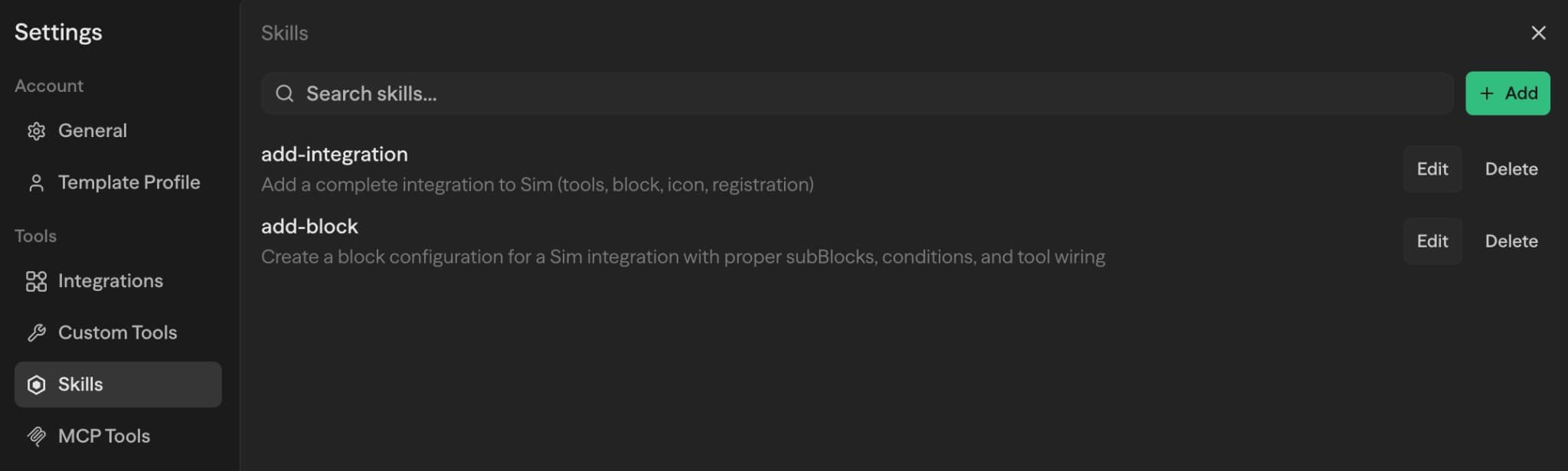
Click Add to create a new skill with three fields:
| Field | Description |
|---|---|
| Name | A kebab-case identifier (e.g. sql-expert, code-reviewer). Max 64 characters. |
| Description | A short explanation of what the skill does and when to use it. This is what the agent reads to decide whether to activate the skill. Max 1024 characters. |
| Content | The full skill instructions in markdown. This is loaded when the agent activates the skill. |
The description is critical — it's the only thing the agent sees before deciding to load a skill. Be specific about when and why the skill should be used.
Writing Good Skill Content
Skill content follows the same conventions as SKILL.md files:
# SQL Expert

## When to use this skill
Use when the user asks you to write, optimize, or debug SQL queries.

## Instructions
1. Always ask which database engine (PostgreSQL, MySQL, SQLite)
2. Use CTEs over subqueries for readability
3. Add index recommendations when relevant
4. Explain query plans for optimization requests

## Common Patterns
...
Recommended structure:
- When to use — Specific triggers and scenarios
- Instructions — Step-by-step guidance with numbered lists
- Examples — Input/output samples showing expected behavior
- Common Patterns — Reusable approaches for frequent tasks
- Edge Cases — Gotchas and special considerations
Keep skills focused and under 500 lines. If a skill grows too large, split it into multiple specialized skills.
Adding Skills to an Agent
Open any Agent block and find the Skills dropdown below the tools section. Select the skills you want the agent to have access to.
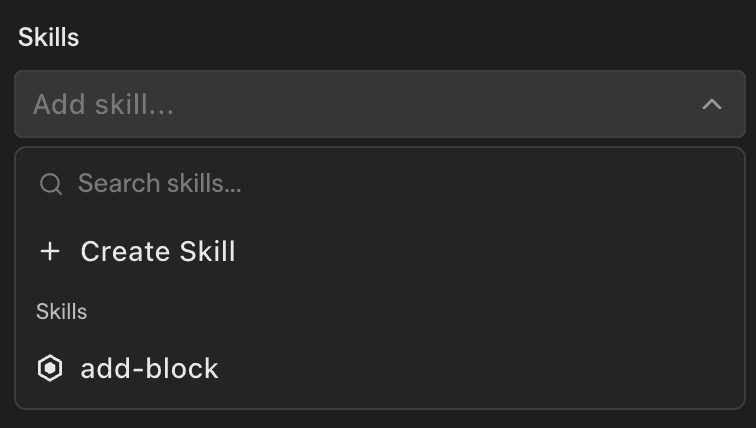
Selected skills appear as cards that you can click to edit or remove.
What Happens at Runtime
When the workflow runs:
- The agent's system prompt includes an
<available_skills>section listing each skill's name and description - A
load_skilltool is automatically added to the agent's available tools - When the agent determines a skill is relevant to the current task, it calls
load_skillwith the skill name - The full skill content is returned as a tool response, giving the agent detailed instructions
This works across all supported LLM providers — the load_skill tool uses standard tool-calling, so no provider-specific configuration is needed.
Common Use Cases
Skills are most valuable when agents need specialized knowledge or multi-step workflows:
Domain Expertise
api-integration-expert— Best practices for calling specific APIs (authentication, rate limiting, error handling)data-transformation— ETL patterns, data cleaning, and validation rulescode-reviewer— Code review guidelines specific to your team's standards
Workflow Templates
bug-investigation— Step-by-step debugging methodology (reproduce → isolate → test → fix)feature-implementation— Development workflow from requirements to deploymentdocument-generator— Templates and formatting rules for technical documentation
Company-Specific Knowledge
our-architecture— System architecture diagrams, service dependencies, and deployment processesstyle-guide— Brand guidelines, writing tone, UI/UX patternscustomer-onboarding— Standard procedures and common customer questions
When to use skills vs. agent instructions:
- Use skills for knowledge that applies across multiple workflows or changes frequently
- Use agent instructions for task-specific context that's unique to a single agent
Best Practices
Writing Effective Descriptions
- Be specific and keyword-rich — Instead of "Helps with SQL", write "Write optimized SQL queries for PostgreSQL, MySQL, and SQLite, including index recommendations and query plan analysis"
- Include activation triggers — Mention specific words or phrases that should prompt the skill (e.g., "Use when the user mentions PDFs, forms, or document extraction")
- Keep it under 200 words — Agents scan descriptions quickly; make every word count
Skill Scope and Organization
- One skill per domain — A focused
sql-expertskill works better than a broaddatabase-everythingskill - Limit to 5-10 skills per agent — More skills = more decision overhead; start small and add as needed
- Split large skills — If a skill exceeds 500 lines, break it into focused sub-skills
Content Structure
- Use markdown formatting — Headers, lists, and code blocks help agents parse and follow instructions
- Provide examples — Show input/output pairs so agents understand expected behavior
- Be explicit about edge cases — Don't assume agents will infer special handling
Testing and Iteration
- Test activation — Run your workflow and verify the agent loads the skill when expected
- Check for false positives — Make sure skills aren't activating when they shouldn't
- Refine descriptions — If a skill isn't loading when needed, add more keywords to the description
Learn More
- Agent Skills specification — The open format for portable agent skills
- Example skills — Browse community skill examples
- Best practices — Writing effective skills