The Webhook block sends HTTP POST requests to external webhook endpoints with automatic webhook headers and optional HMAC signing.
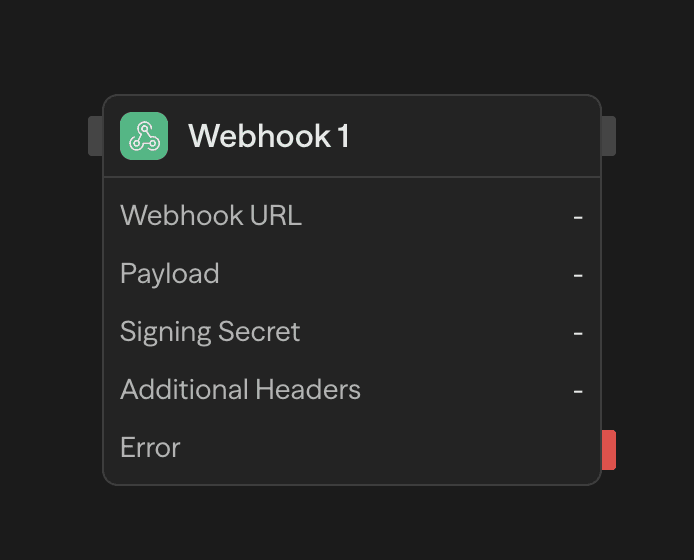
Configuration
Webhook URL
The destination endpoint for your webhook request. Supports both static URLs and dynamic values from other blocks.
Payload
JSON data to send in the request body. Use the AI wand to generate payloads or reference workflow variables:
{
  "event": "workflow.completed",
  "data": {
    "result": "<agent.content>",
    "timestamp": "<function.result>"
  }
}
Signing Secret
Optional secret for HMAC-SHA256 payload signing. When provided, adds an X-Webhook-Signature header:
X-Webhook-Signature: t=1704067200000,v1=5d41402abc4b2a76b9719d911017c592...To verify signatures, compute HMAC-SHA256(secret, "${timestamp}.${body}") and compare with the v1 value.
Additional Headers
Custom key-value headers to include with the request. These override any automatic headers with the same name.
Automatic Headers
Every request includes these headers automatically:
| Header | Description |
|---|---|
Content-Type | application/json |
X-Webhook-Timestamp | Unix timestamp in milliseconds |
X-Delivery-ID | Unique UUID for this delivery |
Idempotency-Key | Same as X-Delivery-ID for deduplication |
Outputs
| Output | Type | Description |
|---|---|---|
data | json | Response body from the endpoint |
status | number | HTTP status code |
headers | object | Response headers |
Example Use Cases
Notify external services - Send workflow results to Slack, Discord, or custom endpoints
Agent → Function (format) → Webhook (notify)Trigger external workflows - Start processes in other systems when conditions are met
Condition (check) → Webhook (trigger) → ResponseThe Webhook block always uses POST. For other HTTP methods or more control, use the API block.